
Types of Biometric Access Control Systems: What to Check Before You Choose
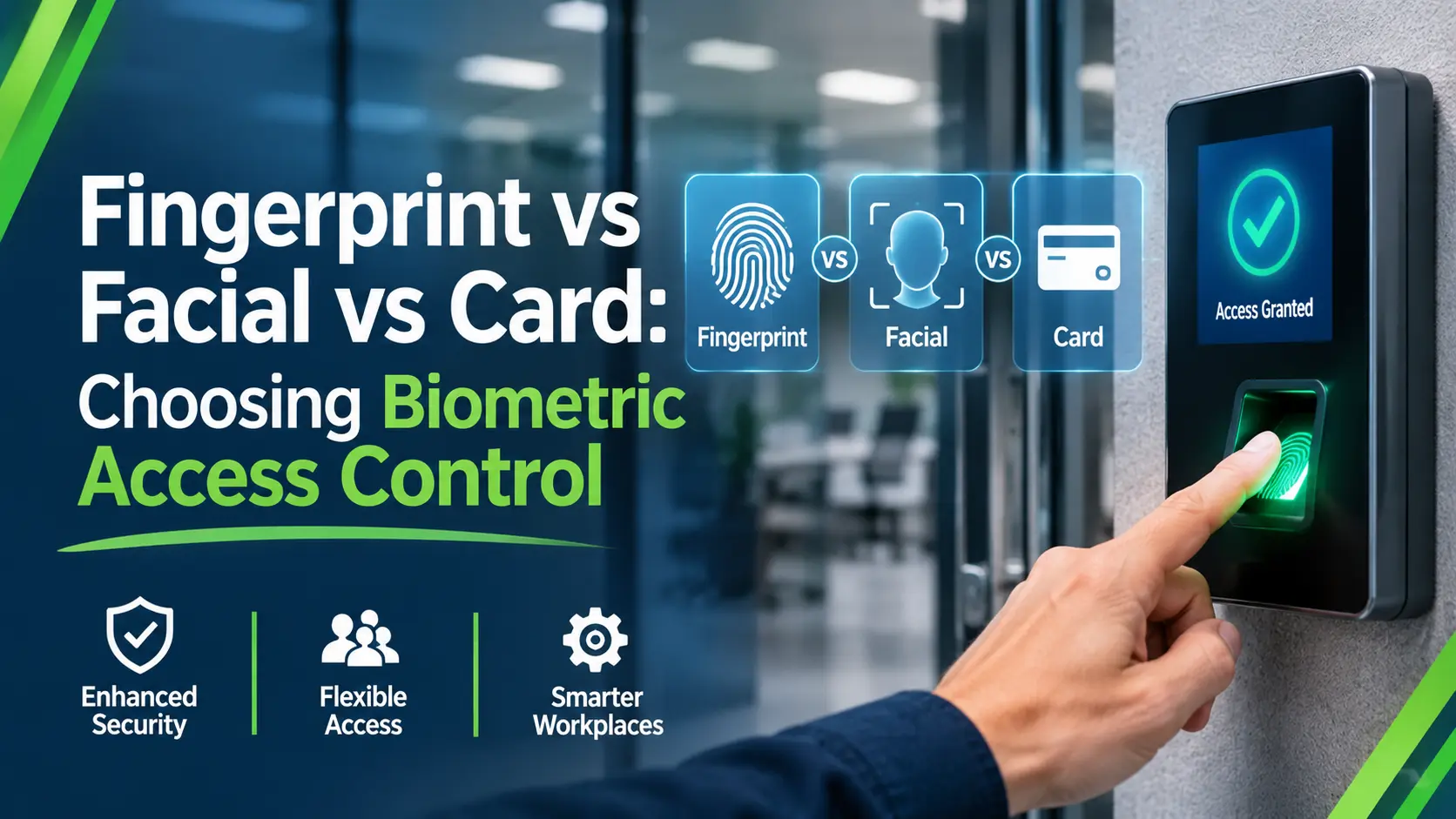
Most buyers start with a spec sheet. A better place to start is the doorway itself. Who stands there, what are they wearing, what is on their hands, and what happens when the reader says no?
This guide is for site managers, facilities teams and security companies choosing a reader for a gate, a plant room or a site office. It covers the main options, where each one struggles, and how to match them to real conditions. If you want help specifying a system, Quantum’s access control and biometric systems page explains what we supply.
What counts as a biometric reader, and what does not?
A biometric reader checks something about the person: a fingerprint, a face or an iris pattern. A card or a PIN checks something they carry or know. That difference matters, because a card can be lent, lost or cloned, while a body feature stays with the person.
Cards and PINs are not biometric, but they still belong in this comparison. Every biometric reader needs a plan for the day it fails, and that plan is usually a card or a PIN. Treat the main types of biometric access control systems as a layered set, not a single choice.
Fingerprint readers: where do they struggle?
Fingerprint readers are the most familiar option. A person places a finger on a sensor, and the system compares the pattern with a stored template. They suit controlled indoor doors, such as an office or a plant room, where hands are clean and the same people use the door every day.
Dirty, wet or worn hands
Picture a construction site compound at 7am. Workers arrive with wet gloves, cement dust or cuts on their fingers, and the reader keeps rejecting them. A fingerprint reader reads the skin surface, so contamination, damage and heavy manual work all cause failed reads.
Enrolment and shift-change queues
Every user has to be enrolled before they can use the door, and a poor enrolment causes problems for months. At shift change, a slow reader also makes a queue. Ask how long enrolment takes per person and how many failed reads per hundred you should expect.
Facial recognition: what changes outdoors?
Facial readers match a live image of a face against a stored template. They are touchless, which helps where people carry equipment or wear gloves. Outdoors, the picture changes quickly.
Light, PPE and angles
Low sun behind a reader, rain on the lens, hard hats, hoods, masks and safety glasses all affect what the camera sees. A reader that works well in a lobby may struggle at an unlit gate at 5am. Test it in the lighting and clothing your users will actually have, not in the demonstration room.
Touchless and hygiene
Because nobody touches the device, hygiene is rarely a concern, and shared sensors do not wear. That suits busy doors and clean environments. Facial systems also bring the heaviest data protection questions, covered below.
For outdoor perimeters, a reader is only one layer. Perimeter intrusion detection can alert you to someone approaching the fence line before they get anywhere near a gate.
Iris recognition: when is the extra cost justified?
Iris recognition access control reads the pattern in the coloured part of the eye. It suits a small number of users at doors where a failed read is costly, such as a server room or a secure store. It is usually the most demanding option to install and the least forgiving of positioning.
Users generally need to look at the reader from a set distance and angle. That is fine at a secure door with a handful of staff, and awkward at a busy gate.
Where do cards and PINs still fit?
Cards and PINs fit wherever a biometric reader would be slow, costly or hard to justify. A site office, a car park barrier and a welfare cabin rarely need more than a card. They are also quick to issue, easy to cancel and familiar to every user.
Using them as a fallback or a second factor
Used as a second factor, a card plus a biometric reader makes a stolen card useless on its own. Used as a fallback, a PIN keeps the door working when a reader fails or a user has not been enrolled yet. Either way, decide who can override a door, and log every use.
Biometric security pros and cons: how do they compare?
Biometric security pros and cons depend on where the reader is fitted. The table sets out what each type does well and where it struggles, so you can match it to your doors.
| Reader type | Works well | Struggles | Sensible fallback |
|---|---|---|---|
| Fingerprint | Clean indoor doors, regular users | Wet, dirty or damaged fingers; gloves | Card or PIN |
| Facial | Busy, touchless doors | Glare, rain, PPE, low light | Card or PIN |
| Iris | Small groups at secure doors | Positioning, busy gates | Card, with a PIN as a second layer |
| Card or PIN | Low-risk doors, fast issue | Lost, lent or shared credentials | A second factor for sensitive doors |
The advantages and disadvantages of biometric security are not about which type is best. They are about the mismatch between the reader and the door. A reader that fails often trains people to prop the door open, which defeats the point of fitting it.
What do UK GDPR and the ICO expect?
A fingerprint, a face or an iris template is personal data. When it is used to identify someone, the ICO treats it as special category data, which needs a stronger justification than a card number. The ICO’s biometric recognition guidance explains what that means in practice.
Why you may need to offer an alternative
The ICO’s page on using biometric data for time and access control is aimed at employers. It asks whether biometrics are necessary and proportionate, and whether workers can use a less intrusive option. In practice, that means a card or PIN should usually be available to anyone who objects.
Before you fit a reader, decide who controls the data, where templates are stored, how long they are kept and how someone is removed when they leave. Complete a data protection impact assessment where the risk is high.
How do you choose between the types of biometric access control systems?
Work through your doors one at a time. For each, note who uses it, what they wear and carry, how often it is used, and what a failure costs. Then pick the simplest reader that copes with those conditions.
A short decision path by site type
- Construction site gate: a card or tag reader, with a biometric only where the conditions suit it, because gloves, dust and weather defeat most sensors.
- Site office or welfare cabin: a card or PIN is usually enough.
- Plant room or server room: a biometric reader plus a card or PIN as a second factor.
- Outdoor perimeter: treat readers as one layer, with detection and cameras around them.
The same logic applies where CCTV and access control sit together. Seeing who used a door can matter more than the reader type, so ask whether the two can work together.
What to ask an installer about types of biometric access control systems
- Which reader types do you supply and install yourselves?
- How are failed reads and lockouts handled, and who can override?
- Where are templates stored, and who can access them?
- What happens to a user’s template when they leave?
- How is the system supported out of hours, and by whom?
Quantum’s engineers are all in-house, with no subcontracted engineers and no outsourced call centres. Support runs 24/7, and you can read about our installation and technical support before you ask for a quote. For a comparison point on how the Government assesses these systems, see the NPSA’s page on automatic access control systems.
FAQ
What are the main types of biometric access control systems?
The main types are fingerprint, facial and iris recognition. Card and PIN readers are not biometric, but they are usually part of the same system as a fallback or a second factor.
Is facial recognition or fingerprint better for a construction site?
Neither is a safe default. Fingerprint readers struggle with dirty hands and gloves, and facial readers struggle with glare, rain and PPE. Test any reader in site conditions before you buy.
Do biometric readers need a card or PIN as a backup?
Yes, in most cases. Every reader fails sometimes, and users who are not yet enrolled still need to get in. A card or PIN also gives people a less intrusive option.
Does UK GDPR treat biometric data differently?
It can. When biometric data is used to identify someone, the ICO treats it as special category data, which needs a stronger justification and careful handling.
Can access control readers work with CCTV?
It can, and the combination is often more useful than either alone. Your installer should say what links to what, and who can see the results.
Choosing a reader for your site?
For a second opinion on reader types, fallbacks or data protection, call Quantum on 0333 888 0007 or email comms@quantumcctv.co.uk. You can also request a quote with a list of your doors.
If a site needs cover while a system is installed, our temporary CCTV installations can help.